
diff options
| author | TheSiahxyz <164138827+TheSiahxyz@users.noreply.github.com> | 2024-04-29 10:16:09 -0400 |
|---|---|---|
| committer | TheSiahxyz <164138827+TheSiahxyz@users.noreply.github.com> | 2024-04-29 10:16:09 -0400 |
| commit | 2cd42b9d71238abc14748566134ead380d5f0969 (patch) | |
| tree | 03b479b0d92781add4c196bb515886f0b981e842 /themes/itheme/README_CN.md | |
Init
Diffstat (limited to 'themes/itheme/README_CN.md')
| -rw-r--r-- | themes/itheme/README_CN.md | 114 |
1 files changed, 114 insertions, 0 deletions
diff --git a/themes/itheme/README_CN.md b/themes/itheme/README_CN.md new file mode 100644 index 0000000..0c148d6 --- /dev/null +++ b/themes/itheme/README_CN.md @@ -0,0 +1,114 @@ +# iTheme theme for Hugo + +**如果喜欢这个主题, [请给我点赞!](https://github.com/floyd-li/hugo-theme-itheme)** + + + + +## 介绍 + +[English Readme](https://github.com/floyd-li/hugo-theme-itheme/blob/master/README.md) + +一个苹果味十足的[Hugo](https://gohugo.io/)主题,移植自[astro-air-blog](https://github.com/austin2035/astro-air-blog) + +## 预览 + +[测试站点](https://hugo-theme-itheme.netlify.app) + +## 快速开始 + +在开始之前,请先安装好[Hugo](https://gohugo.io/)。 + +### 使用测试站点快速开始 + +这是[测试站点的仓库](https://github.com/floyd-li/itheme-demo-site) + +```bash +git clone --recurse-submodules https://github.com/floyd-li/itheme-demo-site.git my-site +cd ./my-site && hugo server -D +``` + +然后,就可以访问`http://localhost:1313`查看效果啦~ + +### 作为一个已有项目的主题 + +```bash +git submodule add https://github.com/floyd-li/hugo-theme-itheme.git themes/hugo-theme-itheme +echo "theme = 'hugo-theme-itheme'" >> config.toml +``` + +可能需要在`config.toml`文件中添加一些配置,请参考后文的[站点配置](#site-configuration) + +## 截屏 + +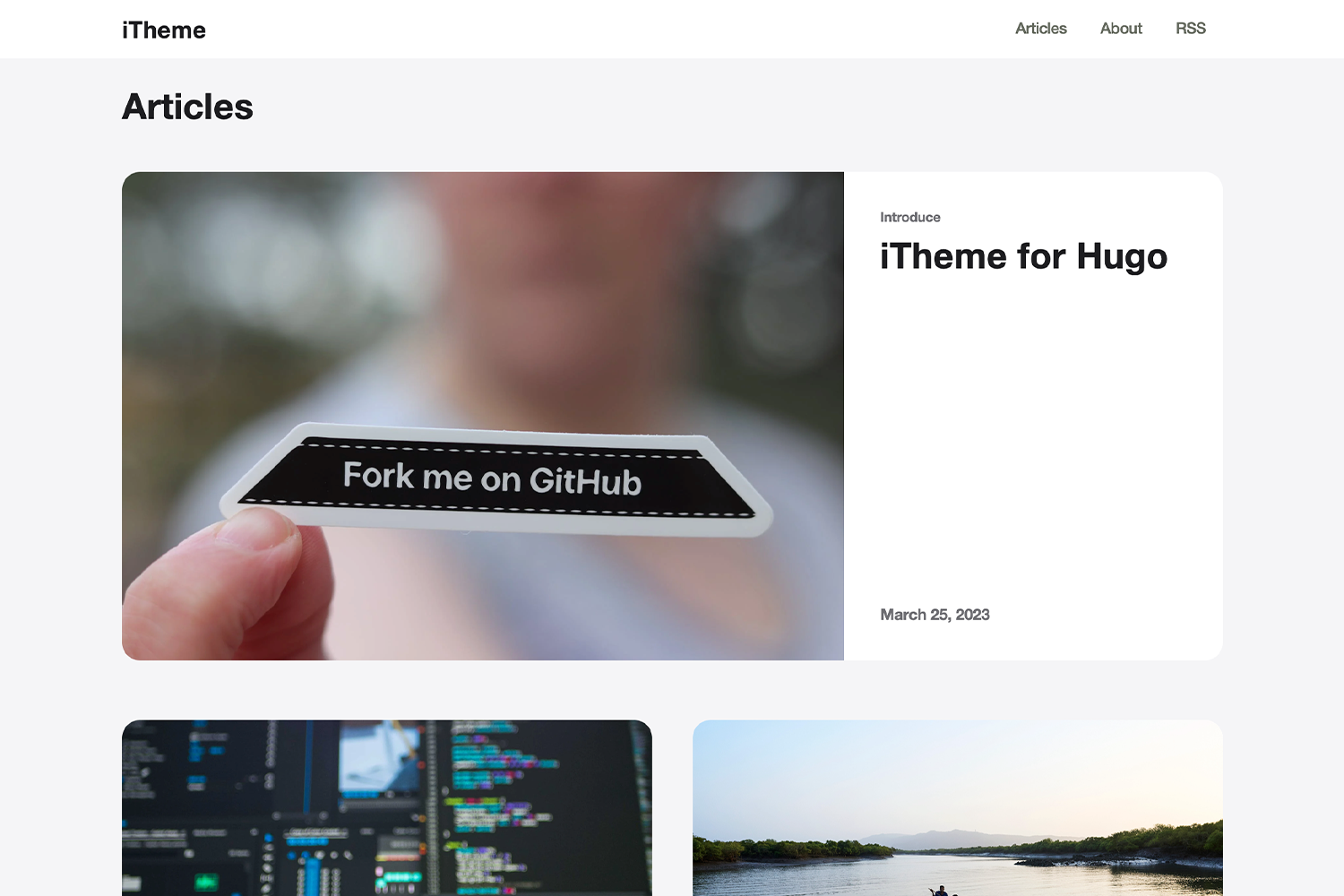 + +## 特性 + +- 支持文章`明``暗`两种风格 +- 文中配置支持三种不同的大小 +- 多语言支持(当前仅支持了中文和英文,欢迎提交其他语言的翻译) +- 支持[Algolia](https://www.algolia.com/)搜索 +- 支持自定义JavaScript/CSS文件(文件需置于`static/`目录中) + +## 配置 + +### 站点配置 + +```toml +defaultContentLanguage = "en" # 默认语言,当前仅支持英文(en)和简体中文(zh-hans),可以查看'i18n'文件夹 +[params] + defaultCover = 'https://example.com/cover.jpg' # 文章未设置封面时的默认封面图 + email = 'floyd.li@outlook.com' # 页脚显示的邮件地址the email address display in the footer + [params.algolia] # Algolia搜索功能配置 + enabled = true # 是否启用Algolia搜索功能 + appId = 'YOUR_KEY' # Algolia appid + appKey = 'YOUR_APP_KEY' # Algolia appkey + searchIndex = 'YOUR_INDEX' # Algolia index + [[params.css]] # 自定义CSS样式文件,可添加多个,文件位于'static'目录下,相对路径 + url = 'css1.css' + [[params.css]] + url = 'css2.css' + [[params.js]] # 自定义JavaScript文件,可添加多个,文件位于'static'目录下,相对路径 + url = 'js1.js' + [[params.js]] + url = 'js2.js' + [[params.socialMedia]] # 页脚显示的自定义的媒体链接,可添加多个 + name = 'Github' + url = 'https://github.com/floyd-li' + [[params.socialMedia]] + name = 'Twitter' + url = 'https://twitter.com/some-one' + [[params.blogroll]] # 页脚显示的自定义的友情链接,可添加多个 + name = 'Apple' + url = 'https://Apple.com/' + [[params.blogroll]] + name = 'Google' + url = 'https://Google.com/' +``` + +### 文章设置 + +```markdown +--- +title: 'Some Article' +date: '2022-10-27T13:06:38+08:00' +draft: true +description: 'some description of the article' +author: 'author of this article' +cover: 'https://example.com/cover.jpg' // 封面图,如果这里没有配置,将会使用站点配置中的defaultCover +tags: ["tag1", "tag2", "tag3"] +theme: "dark" // 设置文章的明暗主题(light/dark) +--- +``` + +### 三种图片显示模式 + +三种图片显示模式分别为`inline(中杯)`,`big(大杯)`,`wide(特大杯)`,具体效果可参见[演示站点页面](https://hugo-theme-itheme.netlify.app/posts/mark-down-syntax/#Image) +在编辑`Markdown`文件时,可以在插入配图的alt属性上加上`inline`, `big`或`wide`即可。 + +```markdown + +``` + +分隔符是英文字符`|`,如果未设置则默认显示大杯`big`。 |